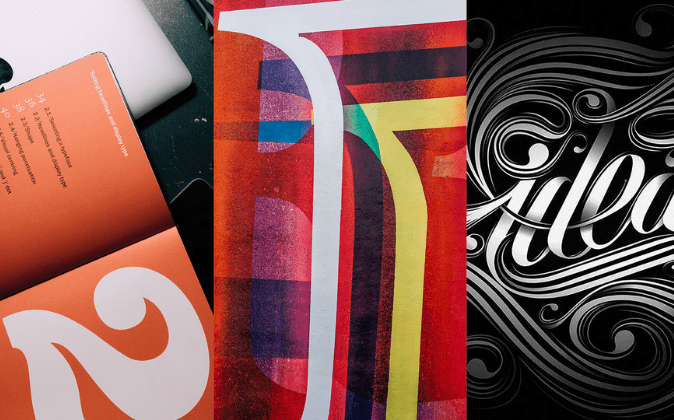
Mastering Typography in Adobe: Design with Precision and Style
Unlock the full potential of typography using Adobe tools. Learn how to create visually compelling, professional text designs with unmatched flexibility and creative control.
Easily sync typography across Photoshop, Illustrator, and InDesign—ensuring consistent, high-quality text in every design project, from print to digital.
Precision Typography Controls
Adobe apps offer kerning, leading, and tracking adjustments, giving designers pixel-perfect control for professional-grade text layout and appearance.
Adobe Fonts Access
With Adobe Fonts, users enjoy thousands of premium fonts—no need for extra downloads or licenses, enhancing workflow efficiency instantly.
Advanced OpenType Features
Access stylistic sets, ligatures, and alternate characters with Adobe’s OpenType features—bringing elegance and flair to even the simplest text designs.
How to Master Typography in Adobe
Master typography in Adobe by practicing font pairing, layout skills, OpenType features, and grid alignment for polished, dynamic, and impactful visual storytelling. With daily use or watching tutorials can help a lot for beginners.
Adobe Illustrator’s Type on a Path Tool allows you to place text along any path—curves, circles, or custom shapes. This feature is ideal for creating visually dynamic typography in logos, badges, and promotional posters. It lets your text follow the contour of your design, adding a professional and artistic touch while preserving full editability of the text.
The Touch Type Tool gives designers complete control over individual characters within a text box. You can move, rotate, resize, and reposition each letter without breaking the text object. This is especially powerful for designing expressive titles, logos, or custom wordmarks where certain letters need emphasis or visual distinction—while still being editable.
Illustrator supports Variable Fonts, a modern font technology that enables dynamic adjustments to font properties like weight, width, and slant. Instead of switching between multiple font styles, you can fine-tune these parameters using intuitive sliders. This offers unmatched flexibility for responsive design, branding variations, and creating scalable design systems.
With built-in access to Adobe Fonts, Illustrator users can instantly browse and apply thousands of high-quality fonts without needing to install or manage them separately. Fonts sync automatically to your Adobe Creative Cloud account, making it easier to explore different styles, match brand identities, and stay creative without workflow interruptions.
All text in Illustrator remains as editable vector paths, meaning it can be resized infinitely without losing quality. Whether you’re designing a business card or a billboard, your typography stays crisp and clear. This vector-based approach also makes it easy to convert text to outlines when needed for printing, exporting, or further graphic manipulation.