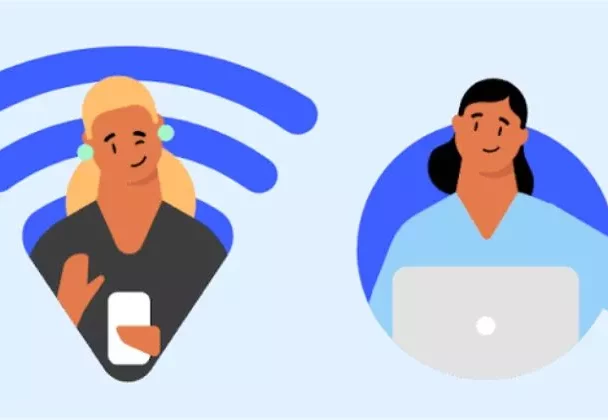
Traveling with a laptop means connecting to unfamiliar Wi-Fi networks at hotels, airports, cafés, and public spaces. Learn simple ways to secure your connection and protect your online activity. Find out more in this blog.
Untrusted networks can expose your browsing activity and personal information to security risks. Taking a few precautions can help travelers enjoy safer, more private internet access wherever they go.
A VPN encrypts your internet traffic, helping prevent unauthorized parties from viewing your online activity. Connecting through a trusted VPN service before browsing on public Wi-Fi adds an important layer of security.
Keep Your Laptop Updated
Before traveling, install the latest operating system, browser, and security updates. Updates often fix known vulnerabilities, helping protect your laptop against threats that could otherwise compromise your information on unfamiliar networks.
Avoid Automatic Wi-Fi Connections
Your laptop may automatically connect to familiar-looking networks while traveling. Disable automatic Wi-Fi connections and carefully check network names before connecting to reduce the chance of joining malicious or fraudulent hotspots.
Use Secure Websites and Accounts
When accessing email, banking, shopping, or work accounts, check that websites use HTTPS and enable multi-factor authentication whenever possible. These precautions provide additional protection for important accounts while traveling.
Travel often requires connecting to networks outside your control, increasing the importance of online security. A secure connection can help protect sensitive information, reduce unwanted monitoring, and make everyday browsing safer when using unfamiliar Wi-Fi.
Using a reputable VPN can encrypt your internet traffic and help hide your IP address when using public networks. NordVPN is one option travelers can consider when they want an additional layer of privacy while browsing from airports, hotels, cafés, or other shared locations during business trips, vacations, or international travel.
File and printer sharing can create unnecessary exposure when connected to unfamiliar networks. Disable these features while traveling, particularly on public Wi-Fi, and configure your laptop to treat unknown networks as public connections to reduce opportunities for unauthorized access to your device.
When possible, consider using your phone’s cellular connection instead of an unfamiliar public Wi-Fi network. A personal hotspot can provide a more controlled connection, especially when handling sensitive work, financial, or personal information while traveling through busy airports, hotels, cafés, or tourist destinations.
Travelers should avoid leaving accounts signed in on devices or browsers used in unfamiliar environments. Log out when finished, remove saved passwords where appropriate, and disconnect from public networks to reduce unnecessary security exposure and prevent others from accessing accounts after you have finished browsing.
Customers’ Testimonies About Secure Travel Browsing
Olivia Bennett — Travel Photographer
“I frequently work from hotels and cafés while traveling. Using a VPN and keeping my laptop updated gives me greater confidence when handling client files and browsing unfamiliar networks.”
James Anderson — Business Consultant
“Travel means connecting to different Wi-Fi networks every week. I now use several security precautions, including VPN protection, stronger passwords, and multi-factor authentication for important accounts.”
Sophia Williams — Freelance Writer
“I often write while traveling and depend on public internet connections. Taking a few extra security steps helps me protect my accounts and work while staying productive wherever I am.”