Stand Out on Screen: Create Interactive PDF Portfolios That Leave a Lasting Impression
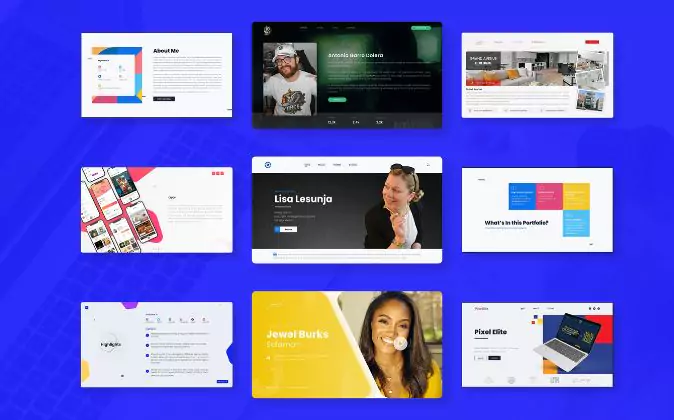
Static portfolios are a thing of the past. With Adobe’s interactive PDF tools, creatives can design sleek, clickable, media-rich portfolios that captivate clients and hiring managers alike. Whether you’re a designer, writer, or photographer, an interactive PDF turns your work into an experience—not just a document.
Adobe Illustrator•Adobe Premier Pro•Adobe Express•Adobe Lightroom•Adobe Firefly•Adobe Acrobat•Adobe Indesign•Adobe Illustrator•Adobe Premier Pro•Adobe Express•Adobe Lightroom•Adobe Firefly•Adobe Acrobat•Adobe Indesign
Bring Your Work to Life with Interactivity
Embed videos, audio clips, image galleries, or motion graphics to showcase your skills in action. Make your work move—literally—and leave viewers with something to remember.
Guide the Viewer’s Journey
Use clickable navigation, hyperlinks, and buttons to structure your portfolio like a website. Let your reader skip to what they care about, or lead them through a curated showcase—your portfolio, your rules.
Set the tone from page one with elegant transitions, animation, and branded design. End with a compelling call-to-action, contact form, or embedded calendar link so viewers know exactly what to do next.
Update with Ease, Reuse with Confidence
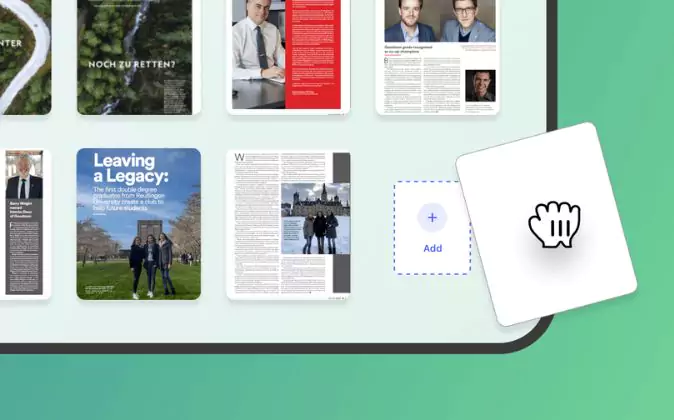
Save your portfolio layout as a template. When it’s time for a refresh, swap in new work, tweak the details, and re-export—no need to rebuild from scratch. It’s one portfolio to rule them all.
Keep It Portable, Polished, and Share-Ready
PDFs are universally accessible, easy to email, and don’t rely on internet connectivity. And with Adobe Acrobat and InDesign, you get professional control over layout, export settings, and file size.
Highlight Your Work with Multimedia
Incorporate videos, audio clips, motion graphics, or image galleries to show your skills in action. Adding movement and sound not only grabs attention but also gives viewers a richer, more memorable experience.
Pro Tip: Design with End-Use in Mind
Before you build, ask: is this for email, print, or presentation? Design for the platform. Use higher-res images for print, optimize for smaller file size in email, and make sure clickable elements are obvious and user-friendly across devices.
The Six Essential Adobe Tools for Crafting an Interactive Portfolio That Stands Out
Adobe InDesign
Your main stage for layout magic. InDesign lets you build sleek, interactive PDFs with clickable buttons, embedded videos, page transitions, and media-rich spreads. It’s where visual storytelling meets smart design—and where your portfolio starts to feel like an experience.
The finishing touch. Acrobat Pro helps you compress large files, lock sensitive content with passwords, and add fillable forms or signature fields. It’s the difference between a pretty portfolio and a professional one ready for clients, recruiters, or submissions.
Every visual should shine. Use Photoshop to retouch images, clean up mockups, and make your portfolio assets feel cohesive and polished. From background clean-ups to color consistency, this is your visual quality control center.
Create crisp, scalable icons, diagrams, and design elements that tie everything together. Illustrator helps you add clean, branded visuals that elevate your layout—making your portfolio feel more custom, less cookie-cutter.
Show, don’t just tell. With Premiere Pro, cut sleek video intros, demo reels, or animated project teasers. Export and embed directly into your interactive PDF to give it movement, mood, and a cinematic touch.
Add a sprinkle of motion magic. Use After Effects to create animated infographics, GIFs, or page transitions that give your work extra energy. It’s subtle but powerful—and helps your portfolio feel more alive and engaging.