

Website Publisher!

Best Laptops For College Students: Find Your Constant Companion For Both On And Off Campus

Finding the best laptops for college students means balancing performance with portability, battery expectations, storage, and the everyday demands of coursework. A machine that handles documents and browser tabs well may be ideal for one student, while another might need more processing power for creative software or multitasking. The five laptops below cover a broad range of needs, from a straightforward Lenovo option to touchscreen and higher-capacity models from HP, ASUS, and Lenovo. There is also a more budget-oriented Florinix option worth examining carefully. Looking beyond specifications helps reveal which machines make sense for lectures, assignments, entertainment, and life between classes.

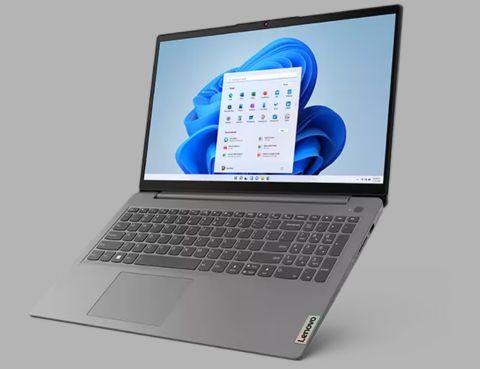
For straightforward coursework, the Lenovo IdeaPad Slim 3i is among the more accessible best laptops for college students, pairing an Intel Processor N355 with 8GB memory, 128GB UFS storage, and a 15.6-inch Full HD display. Its configuration is better suited to everyday productivity than demanding creative applications, making it appropriate for writing assignments, research, video calls, and general browsing. The larger screen can also make split-screen work more comfortable. Students should consider the limited 128GB storage before buying, particularly if they keep large media libraries or install numerous applications. Its appeal is simplicity rather than high-end performance.

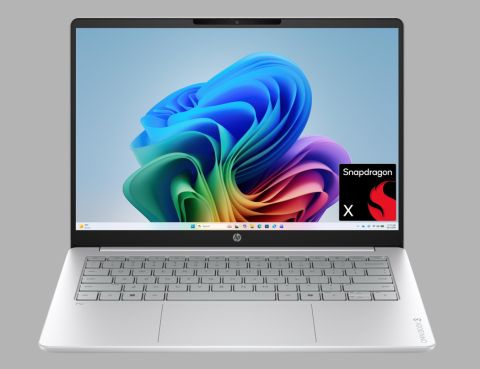
The HP OmniBook 3 combines a Snapdragon X processor with 16GB memory, 512GB SSD storage, and a 14-inch 2K touchscreen. That combination makes it particularly interesting for laptops for remote learning, where portability, video calls, document work, and flexible interaction can matter more than gaming-grade performance. The Copilot+ PC positioning also makes it part of a newer class of Windows laptops built around ARM processors. Students should verify software compatibility for specialized applications before choosing an ARM-based machine. For mainstream web, productivity, streaming, and coursework, its compact screen and touchscreen design offer a practical balance.

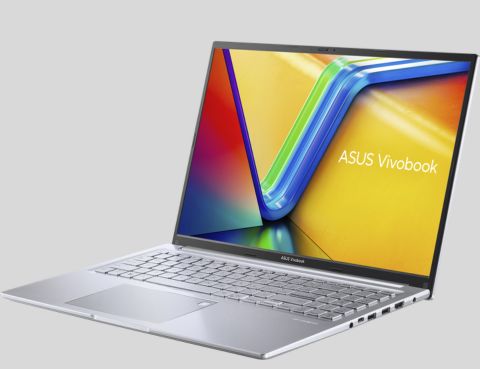
The ASUS Vivobook 16 offers a stronger multitasking configuration, with a Ryzen 7 7730U processor, 16GB memory, and a spacious 1TB SSD. For students searching for affordable laptops for students that still provide room for files, applications, and numerous browser tabs, that storage capacity is particularly useful. The 16-inch Full HD display favors workspace over compactness, making it attractive for research-heavy coursework, spreadsheets, presentations, and content consumption. It is not the smallest option for carrying between lectures, but the larger display can reduce the need for an external monitor when studying at home.

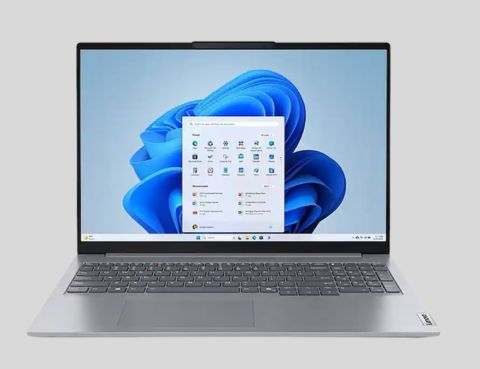
The ThinkBook 16 G7 takes a more productivity-focused approach, combining a Ryzen 5 7535HS processor with 16GB memory, 512GB SSD storage, and a 16-inch touchscreen. Its configuration gives it more headroom than basic machines for multitasking, demanding coursework, presentations, and heavier productivity applications. The touchscreen can also be useful for navigation and interactive tasks. Students comparing lightweight college laptops should note that the 16-inch format prioritizes workspace rather than minimum carry weight. It makes more sense for students who frequently move between home, library, and classroom but still value a roomy display.

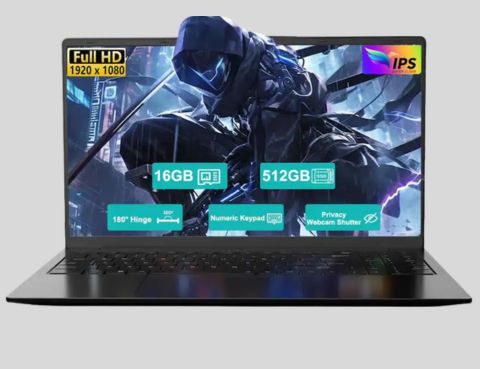
This Florinix model combines a 15.6-inch Full HD display with an AMD Ryzen 5 processor, 16GB RAM, and a 512GB SSD, positioning it as a budget-oriented option for student laptops for everyday use. The memory and SSD capacities are sensible for common coursework, web browsing, office applications, and media. However, the listing’s marketplace positioning means buyers should pay closer attention to the seller, warranty, support, and exact processor specification than they might with a major manufacturer model. It is therefore best evaluated as a value-focused alternative rather than assumed to offer the same support ecosystem as Lenovo, HP, or ASUS.

Matching Your Coursework With The Right Machine

The right laptop depends on how a student actually moves through the day. The IdeaPad Slim 3i suits straightforward productivity, while the OmniBook 3 combines a compact touchscreen with an ARM-based platform. ASUS brings more storage and a generous display, Lenovo’s ThinkBook leans toward stronger everyday productivity, and Florinix focuses on specifications at a more budget-conscious end of the market. Across the entire collection on Best Buy, factors such as screen size, software compatibility, storage, and portability can matter more than simply choosing the highest processor tier.

For students comparing the best laptops for college students, it helps to look beyond assignments and lectures. A laptop may handle research, streaming, video calls, personal projects, and commuting between campus and home. Battery performance also varies with brightness, applications, connectivity, and power settings, so advertised runtimes are not guarantees. The better choice is the one that balances memory, storage, screen size, processing power, and portability around a student’s actual routine, making it useful well beyond the classroom.

8GB can handle basic coursework, but 16GB is a better target for multitasking, research, video calls, and heavier applications. Students using creative software may benefit from more.

A 13- to 14-inch laptop is generally easier to carry between classes, while 15- to 16-inch models provide more workspace. The right choice depends on portability priorities.

For a college laptop handling assignments, software, and some media, 512GB is a good starting point. It gives students more breathing room than 256GB, while 1TB is preferable for large media libraries, creative software, or long-term use.

Related Blogs

What Is Email Hosting: How To Set It Up, Features And More!

Have a customized and efficient experience with emailing. Whether it’s setting up

Is Cloud Hosting the Right Solution for Your Business Needs?

Cloud Hosting could be just what your busine­ss needs. Why? It's scalable,

How To Free Website Hosting And Who Are The Top Providers?

In the fast-pace­d digital world, having a website is almost nece­ssary. This

Is VPS Hosting The Key To Your Web Hosting Needs?

VPS hosting could surely be something that could lead your business to

Which Is The Best WordPress Hosting For Security And 24/7 Customer Support?

Choosing the best WordPress hosting provider is essential if you want your