

Finding the right display can completely transform how games look, respond, and feel during every session. The best gaming monitors combine speed, clarity, and responsive features to support casual players, competitive gamers, and creators alike. From fast refresh rates to detailed resolutions, the right screen helps bring smoother movement and sharper visuals to the setup. This guide explores carefully selected gaming displays available through Best Buy, highlighting practical features, performance advantages, and ideal use cases to help gamers choose a monitor that matches their playing style.
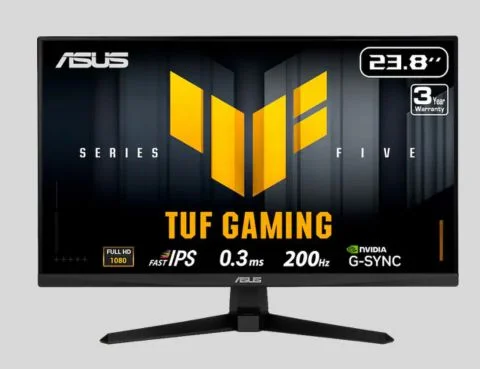
The ASUS TUF Gaming 24-inch monitor is designed for players who want quick reactions and fluid visuals without spending excessively. Its 200Hz refresh rate and 0.3ms response time make it a strong choice for fast-paced titles where every movement matters. The IPS panel improves colour consistency and viewing angles, while G-Sync and FreeSync Premium support smoother gameplay. Among the best gaming monitors, this option suits competitive players looking for reliable performance, especially in shooters and action games. Its compact size also fits well into smaller gaming spaces without sacrificing speed.
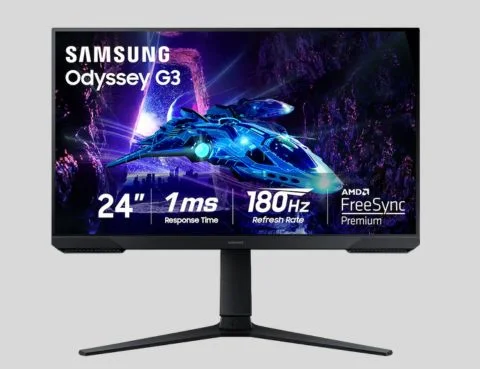
The Samsung Odyssey G30D delivers smooth gaming performance with a 180Hz refresh rate and 1ms response time designed for quick in-game reactions. Its AMD FreeSync Premium technology helps reduce tearing and stuttering, creating a cleaner experience during intense moments. This display works well for players who want dependable speed, whether exploring competitive multiplayer games or enjoying fast-moving adventures. It can also serve as one of the best monitors for console gaming when paired with compatible consoles, offering responsive visuals and a practical feature set for everyday gaming needs.
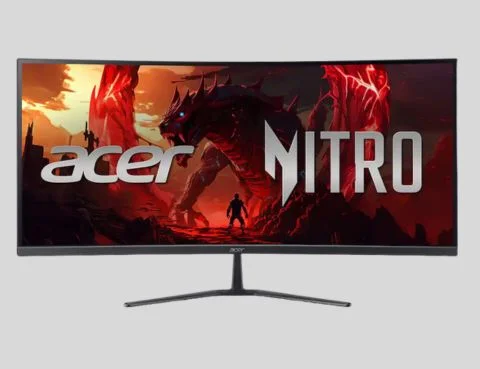
The Acer Nitro ED340CUR expands the gaming experience with a 34-inch curved QHD display built for immersive gameplay. Its ultrawide format creates more screen space for racing games, role-playing adventures, and multitasking, while the 200Hz refresh rate keeps movement smooth. HDR10 support enhances contrast, helping scenes appear more detailed across different environments. For players exploring esports gaming monitors or immersive setups, this curved display offers a balance of speed, visual depth, and comfort. The 1500R curve is designed to keep more of the screen within the viewer’s natural field of vision.
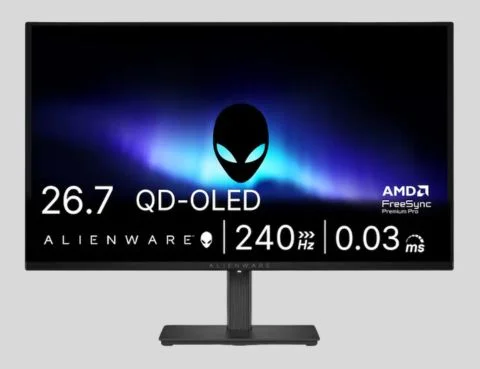
The Alienware AW2726DM combines premium display technology with competitive gaming features for players seeking high-end performance. Its QD-OLED panel delivers deep contrast, vibrant colours, and impressive image quality, while the 240Hz refresh rate and 0.03ms response time focus on ultra-fast responsiveness. This monitor is built for gamers who value both visual excellence and competitive advantages. With QHD resolution, it represents the type of display many consider when searching for 1440p gaming monitors that can handle demanding games while maintaining smooth performance during every match.
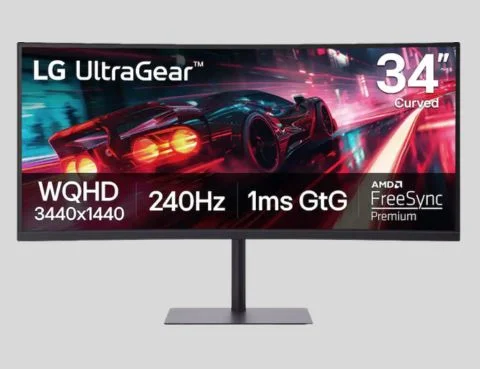
The LG UltraGear 34-inch curved monitor delivers an expansive WQHD gaming experience with features designed for immersive and competitive play. Its 240Hz refresh rate provides smooth motion, while FreeSync Premium helps maintain consistent visuals during demanding scenes. The DisplayHDR400 certification adds improved brightness and contrast for more realistic images. This monitor is a strong fit for gamers who want a larger workspace without losing speed. Its connectivity options, including USB-C and USB-A, also make it practical beyond gaming. It is among the gaming monitors with adaptive sync capabilities that support smoother performance across compatible systems.
A well-matched monitor can change how games are experienced, from sharper visuals to faster responses during competitive moments. The best gaming monitors offer different strengths depending on whether players prioritise speed, immersion, resolution, or versatility. Best Buy features gaming displays across multiple categories, helping users compare specifications and find options suited to different setups.
Selecting the right screen depends on gaming habits, available space, and preferred genres. High-speed displays benefit competitive players, while larger curved monitors can create a more cinematic experience. Understanding refresh rates, response times, panel types, and connectivity helps gamers make more informed choices before upgrading their setup.
A 144Hz refresh rate is a strong starting point, while 240Hz or higher options benefit competitive players seeking smoother motion and quicker responses.
A 1440p display often balances sharp visuals and performance better, while 4K delivers higher detail but may require stronger hardware.
For console gaming, look for low input lag, HDMI compatibility, strong refresh rates, and adaptive sync support for smoother gameplay experiences.
Have a customized and efficient experience with emailing. Whether it’s setting up…

Cloud Hosting could be just what your business needs. Why? It's scalable,…

In the fast-paced digital world, having a website is almost necessary. This…

VPS hosting could surely be something that could lead your business to…

Choosing the best WordPress hosting provider is essential if you want your…

Sign in to your account